In-browser rendering
Render multi-terabyte datasets in the browser. Stream Zarr chunks straight to the GPU. No server, no pre-rendered tiles.
What it does
Zarrita.js reads Zarr chunks directly from the browser using fetch. The @developmentseed/deck.gl-zarr ZarrLayer pairs the array's native chunk grid with deck.gl's TileLayer, reads the GeoZarr multiscales and geo-proj conventions to drive level selection, and reprojects each chunk into Web Mercator on the GPU. The user pans, zooms, and recolors a multi-terabyte dataset interactively, with no server-side rendering pipeline and no pre-rendered tile cache.
Why it matters
- No tiling pipeline: skip the offline pre-render, the tile cache, and the tile server
- Cloud-optimized: the data lives in Zarr on object storage, the renderer reads it directly
- Laptop-grade performance: the GPU does the heavy lifting
Live demos
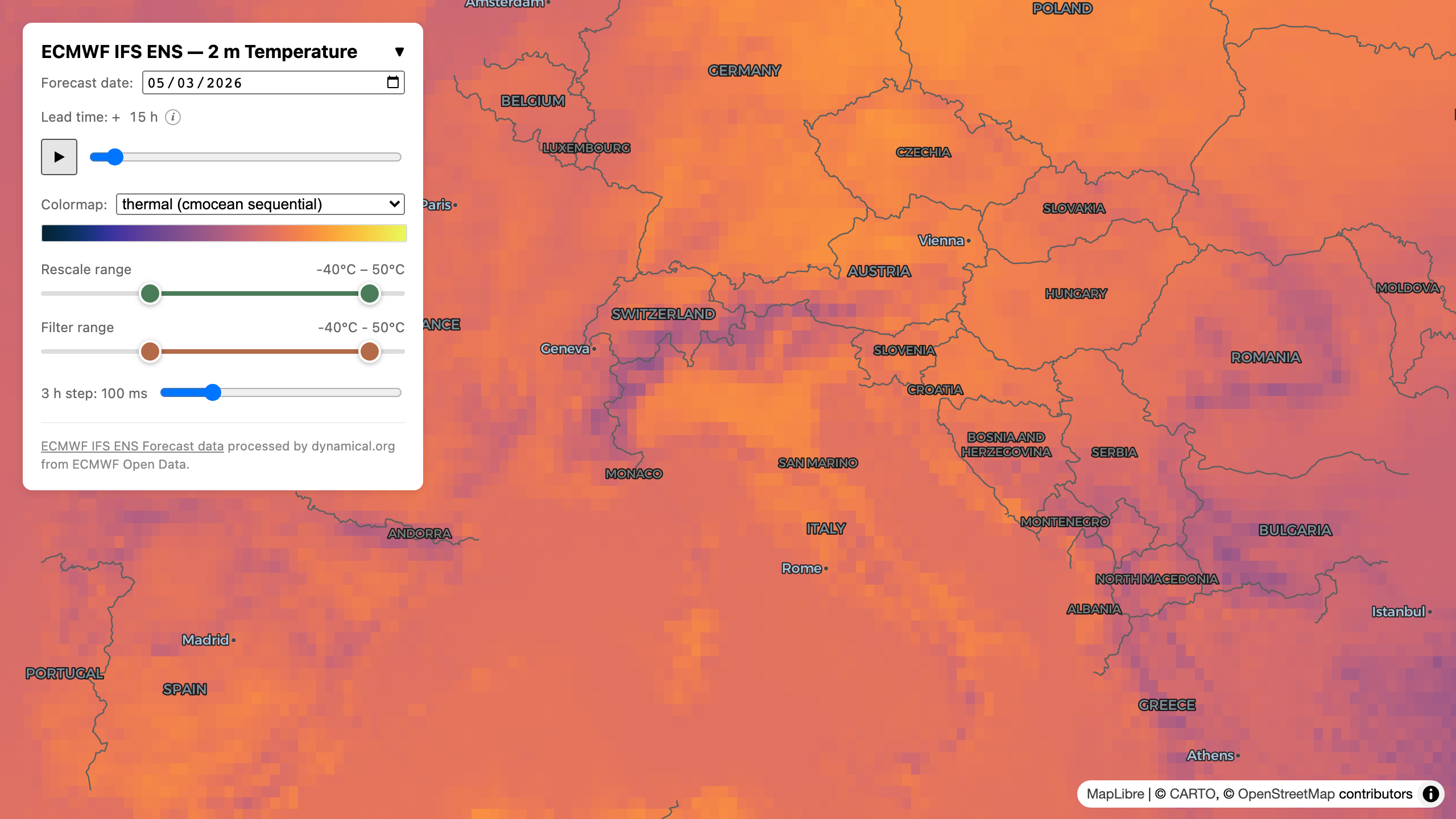
ECMWF 15-day ensemble forecast
A 15-day ECMWF ensemble forecast from Dynamical.org, stored as a single Zarr v3 dataset with consolidated metadata, rendered chunk-by-chunk in the browser. Pan, zoom, scrub the lead time, swap colormaps, and adjust the value range, all client-side.
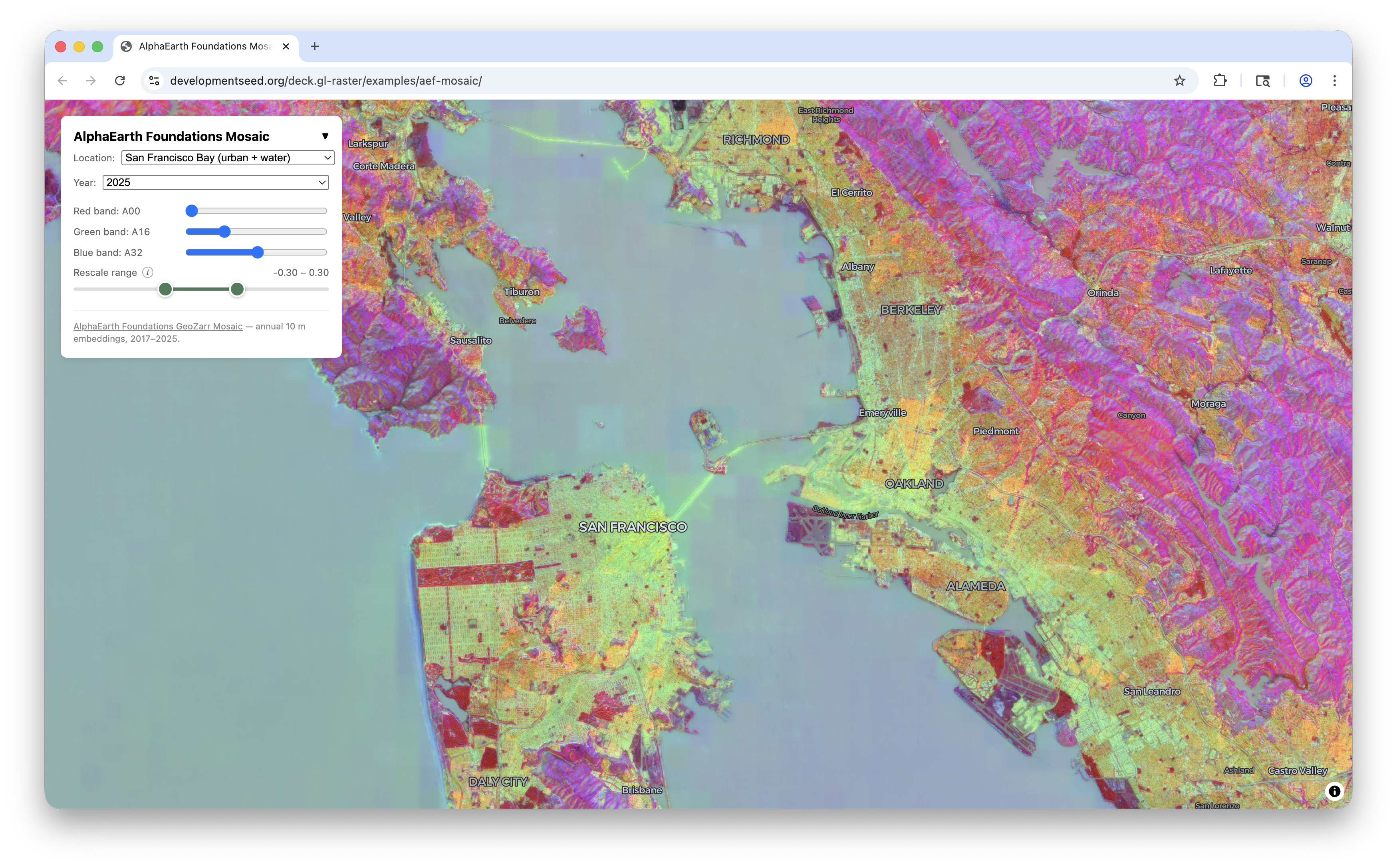
AlphaEarth Foundations mosaic
A continental GeoZarr mosaic of AlphaEarth Foundations satellite embeddings, served from s3://us-west-2.opendata.source.coop/tge-labs/aef-mosaic/. Nine annual snapshots of 64-dimensional embeddings at ~10 m resolution, rendered as a configurable RGB composite. All 64 bands of the selected year are uploaded per tile as a single GPU texture array, so swapping bands is a uniform change with no refetch, and dequantization happens in the shader.
How to use it
import { ZarrLayer } from '@developmentseed/deck.gl-zarr'
import * as zarr from 'zarrita'

const store = new zarr.FetchStore('https://example.com/dataset.zarr')
const node = await zarr.open.v3(store, { kind: 'group' })

const layer = new ZarrLayer({
  id: 'zarr-layer',
  node,
  // One entry per non-spatial dim. `null` = default slice,
  // a number pins an index, a `zarr.Slice` selects a range.
  selection: { time: 0, band: null },
  getTileData,   // (arr, { sliceSpec }) => zarr.get(arr, sliceSpec)
  renderTile,    // (data) => ImageData | RenderTileResult
})
ZarrLayer reads the GeoZarr conventions to derive the level pyramid, per-level affine transforms, and CRS, then leaves the data-to-pixel step to your renderTile callback so you can pick any colormap or composite.